
devPad
> Your dev toolkit, one slide away
Docs, code, and AI - one slide away. A privacy-first, slide out utility panel and full web browser for macOS with a full code editor, Markdown, JSON tree, & HTML preview, snippet library, and local AI chat that uses your context. Includes a ground-up WebKit browser with built-in ad blocking and zero tracking. Pin project folders as searchable bookmarks, split-screen anything, and save AI Q&A for later. Slides out when you need it, disappears when you don't. Zero telemetry, fully sandboxed.
> SAVE WITH THE BUNDLE
The Architect's Toolkit
Get devPad, Nabu Pro, and Anubis together at a discount
Built for Developers
> exploring the toolkit

Core Features
Everything you need, nothing you don't
Full Code Editor
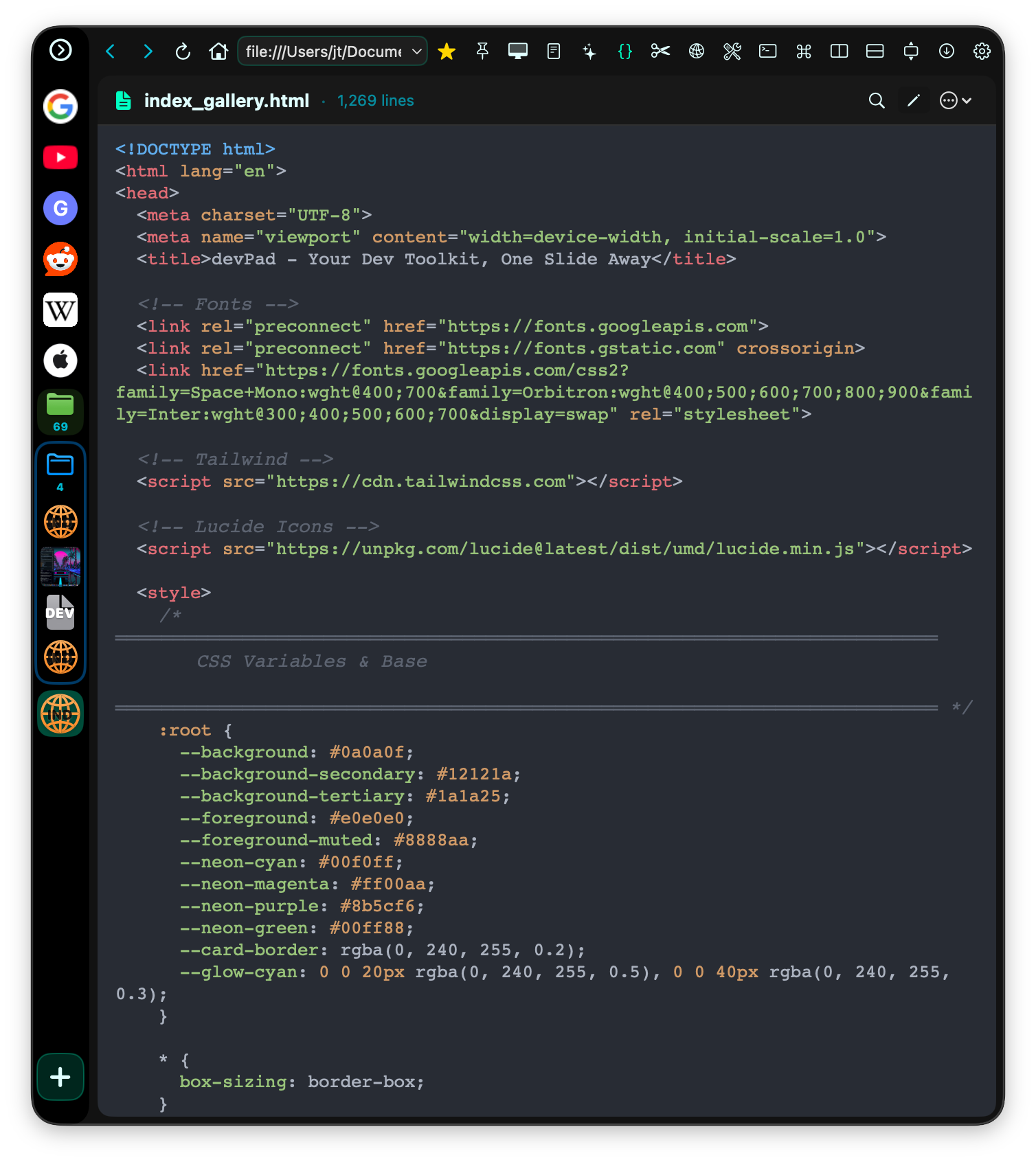
Custom syntax highlighting for 40+ languages. HTML live preview, JSON tree view, Markdown rendering, and git diff comparison. No web services touching your code.
API Client
Build, test, and debug API calls without leaving your workflow. Full request builder, response viewer, and header management.Import JSON Postman Collections and run tests. History is preserved and recallable. Fetch command and API replay support.
Data Tools
SQLite browser, JSON/JWT decoder, UUID generator, hash functions, Base64 encoding, and more. All processing happens locally. MongoDB tools for generating test data and insertion commands from records, format and inspection and more. no data ever sent to external services.
Split-Screen Docs
Keep documentation open while you code. Slides away instantly when you need focus, slides back when you need answers. No context switching.
AI Chat + Context Scraping
Connect to local LLMs (Ollama, LM Studio) or your own API keys. Ask AI from any pane — Snippets, Console, Relay, Data Tools all have a sparkles button that pre-fills context. Save Q&A responses to Snippets with full metadata (model, speed, TTFT).
Project Bookmarks
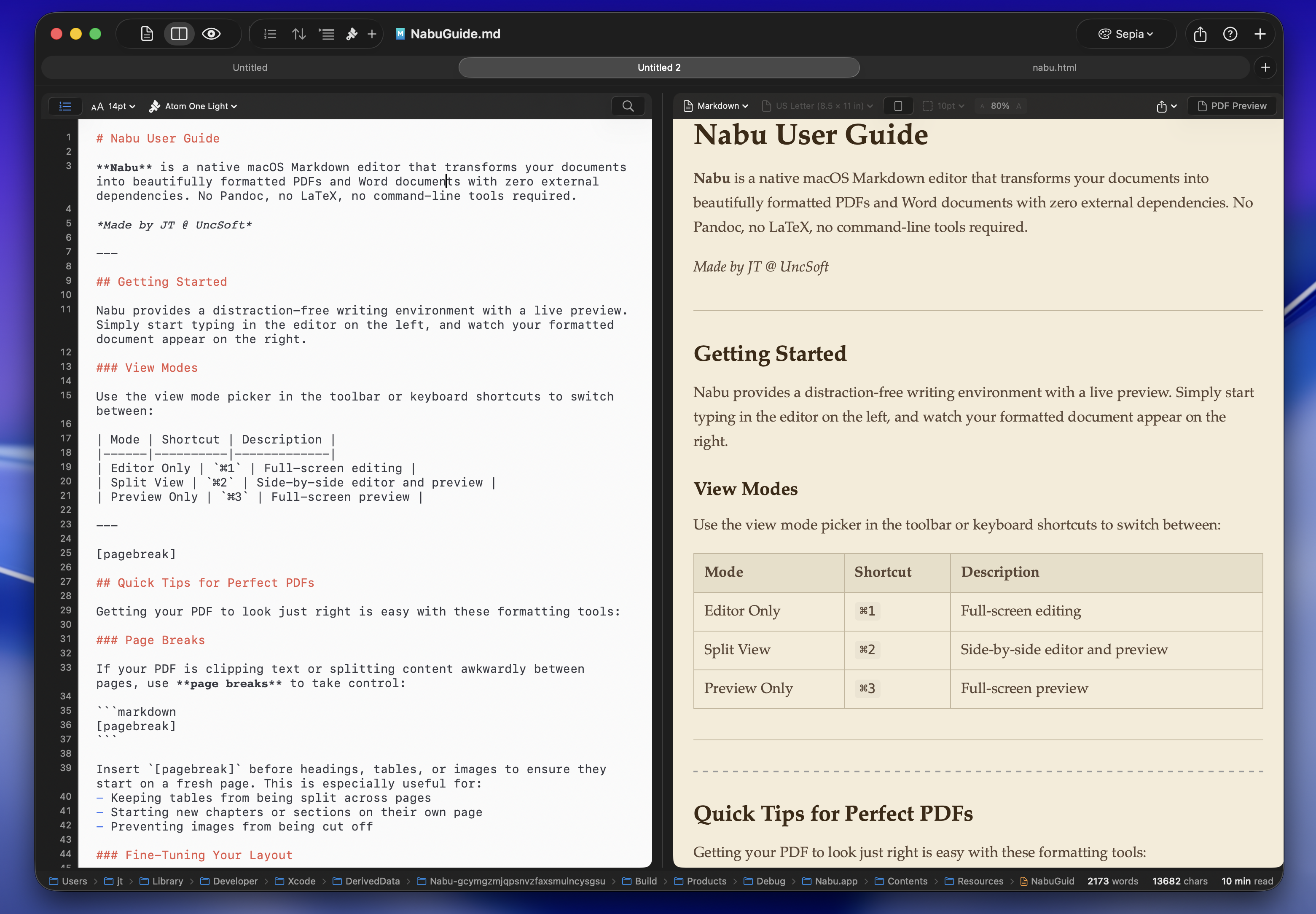
Add entire project folders as searchable bookmarks. Quick view and edit files right in the app — WebKit renders images and PDFs natively, code opens in our home-built text editor, with preview rendering for JSON, Markdown, and (m)HTML.
Console Inspector
Capture console logs and network traffic from any web page — public or local. Export errors and analyze with your local AI in one click. Debug smarter, not harder.
Privacy Fortress
ZERO telemetry. Ever. Fully sandboxed and App Store compliant — the strictest privacy and safety standard for macOS apps. Your data never leaves your device.
Workspaces
Workspaces Save your browser/file/tool grid layout and quick load it with saved Workspaces
Snippet Library
Save code, notes, and AI Q&A responses as searchable snippets. Markdown snippets render beautifully with a Source toggle for editing. Multi-select mode for batch export or delete.
> 100% LOCAL PROCESSING
Data Tools
14 utilities. Zero web services. Everything on your machine.
Swift & CryptoKit • No external APIs
Download Now!
One-time purchase. Yours forever.
devPad
Full access to all features
- Full code editor (40+ languages)
- API client & data tools
- Local AI chat support
- Lifetime updates
- ZERO telemetry — App Store sandboxed
Be First in Line
devPad has launched! Sign up for notifications and giveaways - plus early-bird pricing!